Waterford Early Learning: Setting Active Hours for Administrators
District administrators can set and manage Active Hours at the district level to help establish consistent learning schedules for students across their district. Students assigned to the district automatically receive the district's Active Hours settings, reducing the need to configure Active Hours individually and helping streamline setup.
Adjusting Active Hours in your District
To adjust Active Hours in your district:
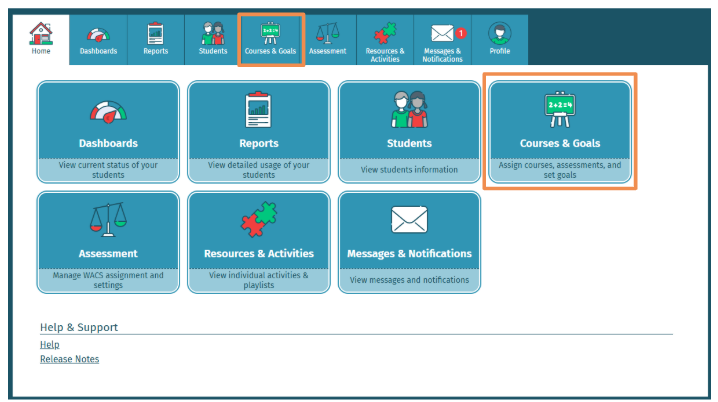
- Select the Courses & Goals tab.
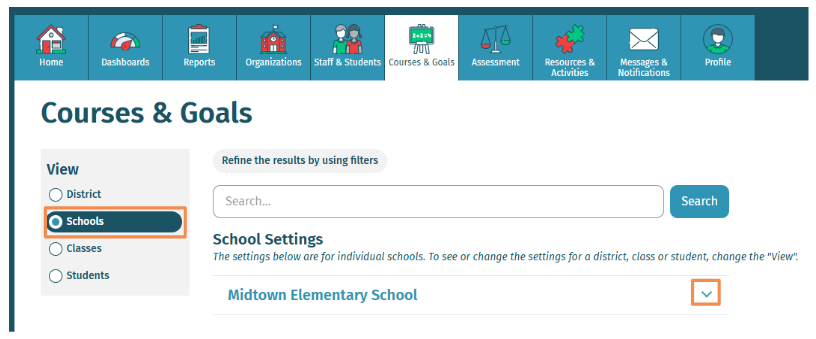
- Under the View menu, select Schools and select the drop-down next to the school you would like to adjust.
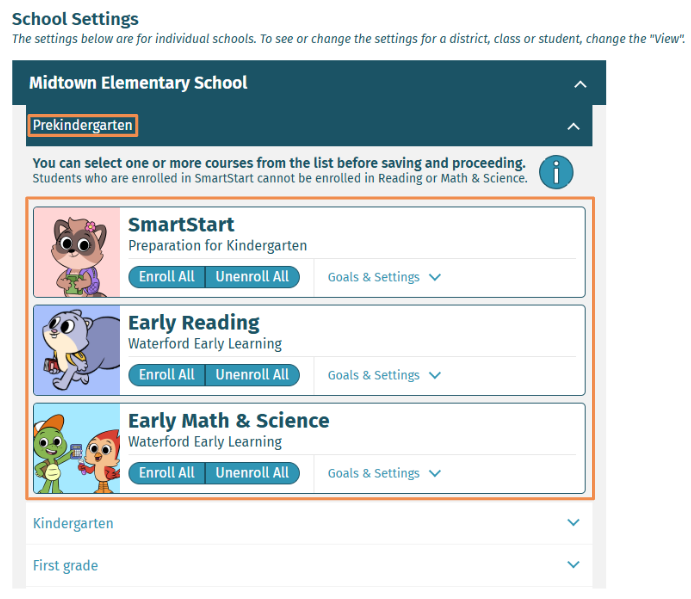
- Select the grade and course (e.g., SmartStart, Early Reading, and/or Early Math & Science).
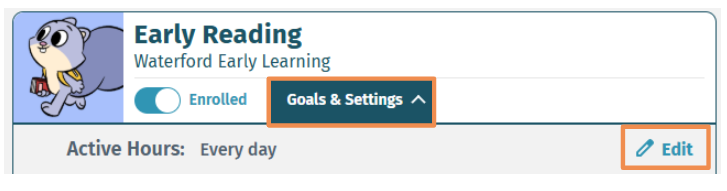
- Select Goals & Settings.
- Select the pencil icon Edit to adjust the Active Hours.
- Check the circles for the days you would like the course to be active.
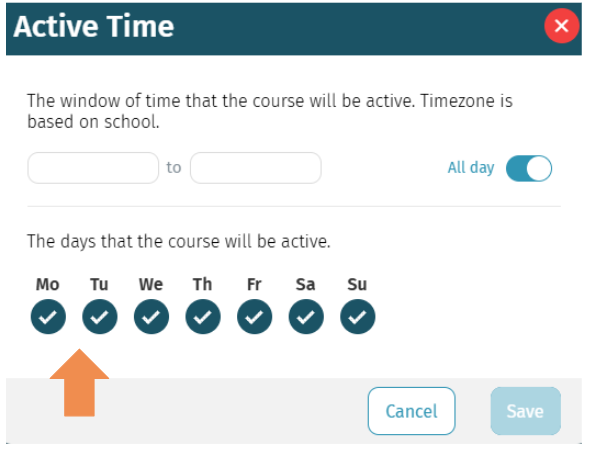
- It is automatically set to all day. To change the window of time, uncheck All day and select the time you would like it available.
- Click Save to confirm your choices.
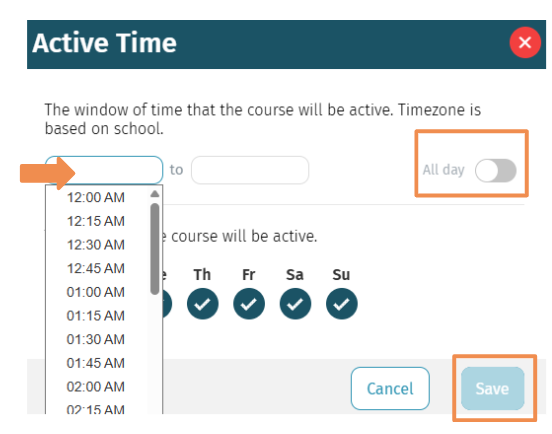
The system defaults active hours to 24/7 unless otherwise configured.
Allowing Teachers to Adjust Active Hours in your District
To allow teachers to assign Active Hours in their class:
- Select the Organizations tab.
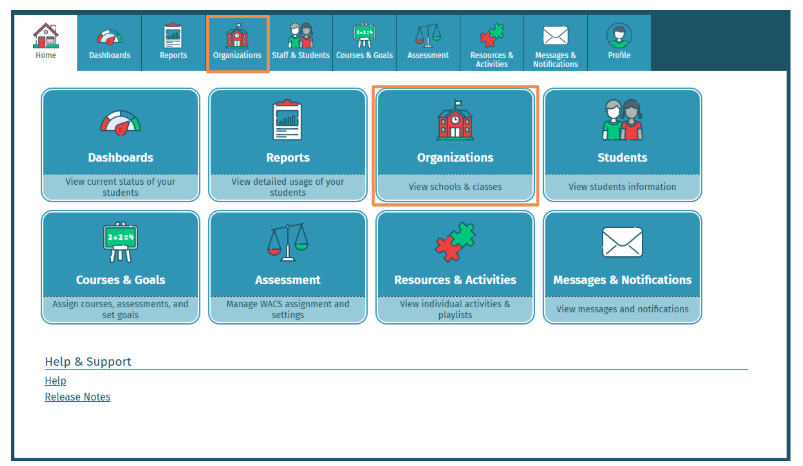
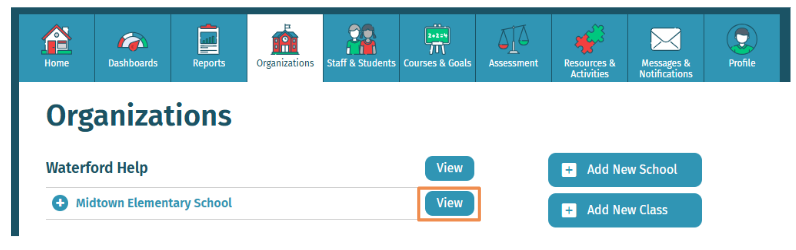
- Select View on the school you would like to set.
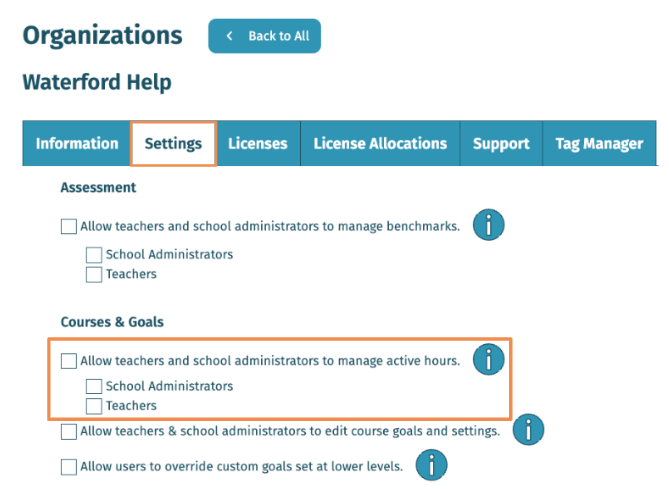
- Select Settings, check Allow teachers & school administrators to manage active hours, and click Save.
Last Updated: 11/11/26

